Showing posts with label cartoon. Show all posts

Monday, 16 February 2015

Finished a comic today - Melon and Jelly

I have some plots ready to apply to some cartoony cat characters that I recently developed on paper, after their living in my mind for sooo long.

One image is finished, entirely created in ink. I'm waiting for some camera equipment to charge up so I can photograph it in my highest quality for archiving, in case I'm famous some day. Meanwhile, I have cell phone photos to share.

In the beginning

The idea was an intro to the characters: one cat stuck in a tree, doing what kitties do, and the other patiently trying to get his or her attention. I wanted to try a perspective drawing, so the tree cat would be close up and in your face, to emphasize how animal instincts take over. First I collected photos of plants. I sketched plants. I wandered suspiciously in the garden outside my apartment building, with a clipboard and sketchpaper in hand. My drawings turned out pretty well, but there wasn't really an ideal specimen to practice on. It needed to be a houseplant, like a potted tree or something sturdy enough to (sorta) support the weight of a cat climbing it.

Then I needed images of how a cat looks when clinging to a tree. That was easier, thanks to a Google image search. After that, I had enough technical info to begin drawing on illustration paper. I also knew that I wanted to use ink, because I received so many interesting and supportive comments for my only ink painting so far which hung in a gallery a few months ago. This image will be ink success #2!

Plant shaping up with perspective

Cat body in progress

Background colours starting to appear

Inking gone wild

When working with ink, I have difficulty deciding where to start. So, I usually start filling in some colour, similar to adding mass or tones in an underpainting. With ink, I'm not sure how one does an underpainting, so since I'm using acrylic ink, I treat it a bit like an acrylic painting, where subsequent colouring covers over even the most bold initial marks.

The 'cat up tree' image is only my second ink drawing that is fully painted with ink. I'm not sure ink is meant to be used this way, but I like how it looks, so I'll keep doing some pieces this way.

Unfortunately I constantly forget that some inks are opaque, and many of mine are transparent. It's challenging to lay down colour such as white, to hide a mistake or change some shapes. For example, my little cat standing on the floor was intended to be a beige colour, but once the brown dried, white glazes looked strange, and I found that pinks subdued my harsh brown much better than white did. Between the start and finish of this image, I added white and cool grey to my collection of colours, so that I can make beige, and subtle shadows for occasions like this, where the whole page is going to be filled with colour.

It would also be ideal to take the time to add tones before diving greatly into colouring for these situations. For some reason, I feel compelled when using ink, to just dive right in and colour the items. Maybe it's the nature of acrylic. It dries quickly and you can address one piece of an image at a time, quite differently than working with watercolours.

Subsequent comic panels will probably be made digitally with Painter or iPad apps like ArtRage or ProCreate, or minimally-inked, to save time and get my ideas out quickly.

Green ground balances green leaves perhaps

Still learning colour mixing

Close to finishing

Background became golden to help plant stand out

I decided on blue, no surprise...I like bright colours
Don't drink the water! The coffee is okay, though
Cats are starting to have faces and details
Still not quite finished...and it's been a long process

Finally success!

The finished piece by Heidi Bada
I like how the flying bug turned out; he seems to be glowing and appealing to the blue cat Melon. The little guy on the floor kinda stuck in my mind to be a slower-moving character, so I'm glad he or she (I still haven't decided) looks cute and cuddly in pink, since my attempted beige didn't work. I was surprised how painstaking it was to create highlight and shadow sides to the tree and cat. The shadow portions involved grey sometimes, and other times just more brown, and yellow and white helped produce highlights. With practice, I'm sure this task will become easier. As I said before, acrylic ink dries quickly, including the stock on my palette where I was trying to mix lighter and darker shades for the tree and Melon (the blue cat). Now that I think of it, the pink cat should probably be female. Seems obvious now. But we'll have to wait and see! I guess that's my comic strip cliffhanger for you today.

Images are provided for entertainment; please don't copy without discussing with me first.


FYI- all images everywhere on my blog are All Rights Reserved. Do not copy or use the images in any commercial manner, such as printing to post on your wall or pasting into your website. I will consider requests to use images for academic and personal purposes, and I'm available for hire for commercial image creation and am willing to discuss rights management arrangements for digital, merchandise, and other rights to commercial and personal usage of my images.

Sunday, 7 December 2014

My first HTML5 animation was a success, now visible on Youtube and my website

After some experimenting with the capabilities of Hype 2 on the Mac, I came up with a short animation about Christmas and cats that I have shared on Youtube at http://youtu.be/ITsWH0Rzigc and on my website www.patiostudioproductions.biz. Full audio is only included in the website version, because exporting to video doesn't seem to include audio.

Let me know what you think, there or here in the comments.

Here's the YouTube version, but it's better to see the website version because it utilizes the audio files and original HTML and graphics files.


Now that I know Hype 2 works well, and is very easy to use, I am excited to come up with more compelling stories. I can justify putting time into complete cartoon or line art illustrations, with suitable components to be animated with HTML5 and Javascript. For my samples, I am planning to make a few educational and entertainment pieces. My college and university studies offer lots of enjoyable subjects to choose from, that I'll try to show in a funny or unique (but compelling) way. For entertainment, I have a few cartoon characters that I draw frequently and would love to portray in animated stories. Not to mention promotional animations for my own and others' websites.

It's exciting, especially after I decided Madefire's online animated comic book creation tool seemed to have an unnecessarily dark and mysterious learning curve. My project there failed three times, and I say that's the end of that!

Madefire out...Hype 2 in. Plus, Hype 2 creates HTML5 assets ready for FTP upload. I've never used an FTP client before, but on short notice, and strong desire to show off my Christmas cat and tree animation, I figured it out (using FileZilla) and it worked perfectly. The first and only thing you'll see on my 'practice' website space (www.patiostudioproductions.biz) is that cat and tree animation!

Monday, 17 November 2014

Some screen shots from the action while making animated characters the past few days

I've uploaded the samples of a few recent simple character animations to YouTube, and wanted to show off some screen shots too, so you know what the Toon Boom interface is like. Some conversations online make it difficult to choose among Toon Boom Studio and products like Flash and Anime Studio Debut. I personally didn't like Anime Studio, and have never used Flash so I can't comment on any comparison yet.

Here's a hint at what working with Toon Boom Studio animation software is like. First, a character with bones and "zones of influence":


A character following a "motion path":


Adjusting with cut-out animation tool:


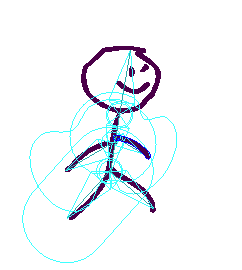
And some screen shots of the interface while working with my stick figure:
'Zones of influence' for bones are visible; not sure what they do yet!

Leg 'bone' selected and can be rotated about the hip attachment point
Motion path with keyframes along the line spanning 5 seconds, at 12frames/sec

Timeline shows several layers are created to enable motion of each limb
The tricky part of using sophisticated animation software, it seems, is to use the right tool for each task, and select the right layer and timeline position every time, before making an adjustment. One suggestion to Toon Boom already: make icons bigger!!! It's very difficult to tell which view is selected, between Drawing View, Camera View, and the side & top views.

Saturday, 1 November 2014

Working on a cartoon skiing watercolour today with Aquarelle paper

It's my first time using Aquarelle watercolour paper. Right now I'm just waiting for an initial blocking of colour to dry. It's my cartoon character Fuzz in a ski scene.

My last few drawings were ink, and even though I just bought a few more ink colours to make tints and shadows easier to complete, I feel compelled today to revisit my interest in watercolours. Depending how the painting turns out, I may add some illustration using ink as well, but ideally I will control the paint enough with several washes to make my cartoon character pop out of the scene.

It's an action scene, just like I used to draw as a teen, and in college too I recall. This is my most-frequently-doodled character in my school notebooks. He doesn't look like a stunning dude so far, but let's hope my watercolour skills give him some stature by the end of this painting exercise!

Fuzz Skier watercolour in progress
Notice the painting support is my trusty Sterlite plastic bin lid. Works every time, and protects my work table that also serves as my fine dining table.

Thursday, 18 September 2014

Cartoon characters from my high school notebooks made fresh from memory

A couple decades ago, my notebooks in school were filled with doodles. One particular character appeared frequently. As I'm trying to perfect my watercolour, pastel, and digital painting techniques, I thought drawing this little character anew was a useful exercise.

Knowing that the character itself is etched in my memory, I plan to create several versions, different variations and poses, and some storylines of activities or interactions he gets into. There's also a she version in my mind.

My initial results with watercolour follow.

Fuzz character with smirk by Heidi Bada

Baby version of fuzz character